Fog map
Fog not clearing? Why a walk does not count, and how to fix it
The fog opens only during a walk, only with a good GPS fix and only at a speed you could walk, cycle or drive. The map tells you which rule is stopping it.
Updated November 17, 2026 · Free on the App Store · iPhone and Apple Watch, iOS 17+
Why the fog stays
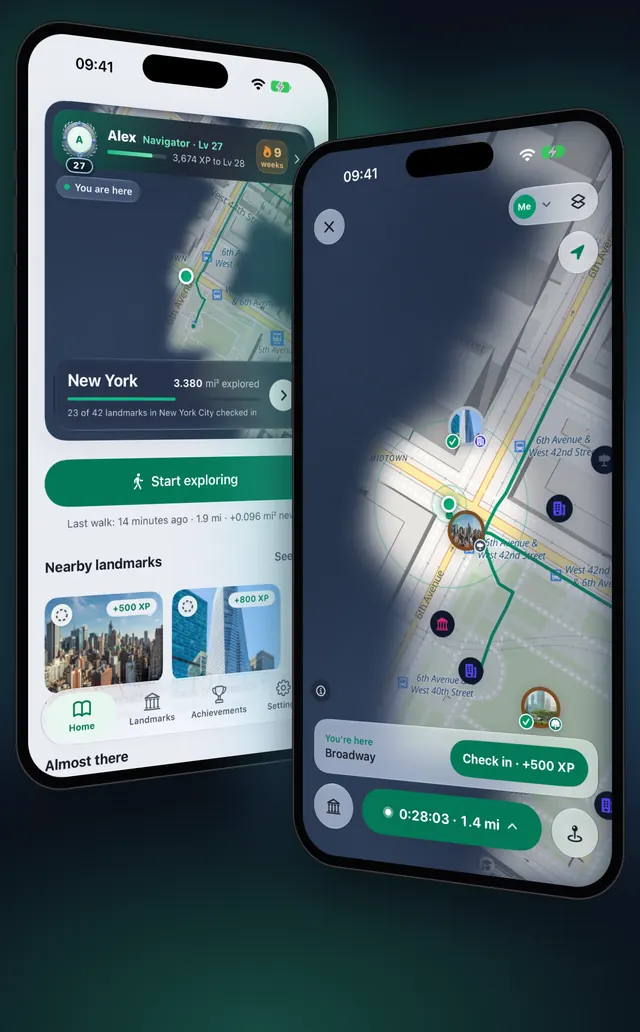
OptiSafari clears the fog only where it is sure you have been. A position counts when a walk is running, the fix is accurate and fresh, and you are not flying past. When one of these is missing, the map shows a message and the fog stays, so a wrong position never opens ground you did not walk.
| Rule | What OptiSafari does |
|---|---|
| A walk is running | Nothing is recorded outside a walk, from Start to End walk. Pause stops recording until you resume |
| GPS accuracy | A position less accurate than 50 m opens nothing |
| Fresh positions | A position older than 15 seconds is ignored |
| Speed | Above 130 km/h, taken as the middle value of your speed over the last 20 seconds, the fog does not open |
| After a fast stretch | Recording resumes when the iPhone senses walking, running or cycling, or after 3 minutes in a row under 100 km/h |
| Reveal radius | Each accepted position opens 50 m around you. Gaps between positions are never filled in |
What the message on the map means
| Message | Why | What to do |
|---|---|---|
| Waiting for GPS… | The walk has no accepted position yet since you started | Stay in the open for a moment |
| Weak GPS · not recording | The position is less accurate than 50 m | Move away from tall buildings, tunnels and roofs |
| Moving too fast · not recording | You went above 130 km/h | Wait: it resumes once you walk, run or cycle, or after 3 minutes under 100 km/h |
| Location access is off | Location is not allowed for OptiSafari | Allow it in the iPhone's Settings (below) |
Get the fog clearing again, step by step
- Make sure a walk is running. On Home, tap Start exploring, or tap Start on the map. During a walk a strip at the top of every tab shows Exploring.
- If the strip shows Paused, open the map, tap the green capsule and tap Resume.
- The first time, OptiSafari asks with Allow location to explore. Tap Allow location, then choose Allow While Using App in the iPhone's prompt.
- Open Settings and look at the Location row under Walks. It should say Allowed and Works when locked. Off or Not asked means location is not allowed.
- Tap the Location row. It opens the iPhone's Settings for OptiSafari: choose While Using the App and turn Precise Location on. Without Precise Location, iOS gives only an approximate position, usually too rough to reach 50 m.
- Back on the map, read the message, if any, and follow the table above.
- Walk on. You can lock the phone and put it in your pocket: the walk keeps recording with the screen locked, and iOS shows its location indicator.
Tips
- "While Using" is enough. OptiSafari never asks for Always. A walk you start records with the screen locked.
- Do not close the app from the app switcher. Closing it stops location. Next time you open OptiSafari, Your walk is still going lets you choose Continue or End walk, but nothing is recorded while the app is closed.
- Allow Motion & Fitness. It lets OptiSafari tell walking and cycling apart from driving. Without it, after a stretch above 130 km/h only the 3 minutes under 100 km/h bring recording back.
- Recording on Apple Watch? The iPhone turns its own GPS off and your map clears from the watch's positions: Record a walk on Apple Watch.
- New to the fog? Start with How a fog-of-war walking map works.

OptiSafari — Places Visited, Travel Tracker
Free · No account · Works offline
Frequently asked questions
Does OptiSafari need location set to Always?
No. It asks only for location while you use the app, and a walk you start keeps recording with the screen locked.
Why are there gaps in the fog along my route?
Each accepted position opens 50 m around you, and gaps are never filled in. Where the GPS was weak, for example in a tunnel or between tall buildings, or where positions were too far apart, the fog stays between them.
Does the fog clear in a car, bus or train?
Yes, under 130 km/h, whatever carries you. New ground by vehicle earns less XP. Above 130 km/h, on a plane or a fast train, the fog does not open.
Can I clear the fog for a walk I forgot to record?
No. OptiSafari records only during a walk and cannot add ground afterwards. Start the walk before you set off.
Does the fog clear between walks?
No. Nothing is recorded between walks, and outside a walk location stops when the app leaves the screen.